Learning something new can feel like a rollercoaster—those highs when you finally solve a problem, and the lows when everything you thought you understood suddenly falls apart.
One of my own low points came when assigned a project using Oracle and IBM Db2. Up to that point, I had spent six years working exclusively with Microsoft SQL Server. The new challenge seemed exciting—until it became clear that familiar SQL Server queries didn’t translate to Oracle or Db2.
After a bit of frustration (and a lot of documentation), the project was completed on time. But it taught me a valuable lesson: not all SQL is the same. Later when tasked with migrating a SQL Server database to PostgreSQL, I went in with a far more positive outlook—and was prepared to handle the differences.
Here’s the thing: if you learn a programming language like Python, Java, or C#, the basic syntax is consistent everywhere. You might add libraries or packages to extend what the language can do, but the foundation doesn’t really change.
SQL is different. The syntax depends on the database platform you’re working in. A query that runs flawlessly in PostgreSQL might throw an error in MySQL or MariaDB.
Standards vs. Extensions
SQL has official standards, developed and maintained by ANSI (American National Standards Institute) and ISO (International Organization for Standardization). These standards define the “core” of the language—things like basic data types, the SELECT statement, INSERT, UPDATE, DELETE, and simple constraints. In theory, this means you can learn standard SQL and apply it anywhere.
But there’s a catch. Every database platform extends the standard in its own way. These platform-specific extensions add features that go beyond the SQL standard—like special functions, procedural code, unique data types, or performance enhancements. That’s why your SQL Server query might not work in Oracle or PostgreSQL, even if both are “SQL databases.”
Think of it like learning English: the grammar and most vocabulary are the same everywhere, but the local slang and expressions vary from one region to another. Knowing the standard language helps you communicate broadly, while understanding the local variations makes you fluent in specific contexts.
The most practical approach is to start with the database platform that fits your current goals—whether that’s the one your workplace already uses or the one you’ve chosen for practice. As you learn, keep in mind that SQL isn’t identical across platforms. If you ever need to run statements against multiple systems for the same project, you’ll face a choice: you can spend time researching and writing queries that stick closely to the SQL standard (making them more portable), or you can lean into each platform’s unique extensions (which may be more powerful but less reusable).
There’s no single right answer—it depends on your project, your team, and how much flexibility you need.
Getting Comfortable with Documentation
Online courses are a great way to start learning SQL, but they can only take you so far. To really grow, you’ll need to get familiar with the official documentation for whatever database platform you’re using. Documentation is a valuable resource, even if it isn’t the most exciting read.
Here are some examples of popular relational database platforms paired with their “flavor” of SQL:
| Database Platform | SQL “Flavor” / Dialect |
|---|---|
| Microsoft SQL Server | Transact-SQL (T-SQL) |
| PostgreSQL | PL/pgSQL |
| Oracle Database | PL/SQL |
| IBM Db2 | SQL PL |
| MySQL | SQL/PSM + MySQL extensions |
| MariaDB | SQL/PSM + MariaDB extensions |
| SQLite | SQL-92 based dialect + SQLite extensions |
Documentation shows you the syntax, functions, and behaviors specific to your platform, and it gives you tools to troubleshoot issues when things don’t go as planned. Building the habit of working with documentation early will make you a faster, more confident, and more adaptable SQL user.
Also, learning the proper terminology and syntax for your chosen platform helps you communicate clearly with teammates or when asking for help in forums.
Tips for Getting the Most Out of Documentation
Build the Habit
At first, reading documentation might feel slow. But the more you practice, the easier it becomes to skim, recognize patterns, and pick out the details you need. Over time, you’ll spend less time stuck and more time solving problems.
Start with the Overview Pages
Most documentation sites include “Getting Started” or “Overview” sections. These are easier to digest than jumping straight into reference material and will give you a roadmap of what the system can do.
Use the Search Function Strategically
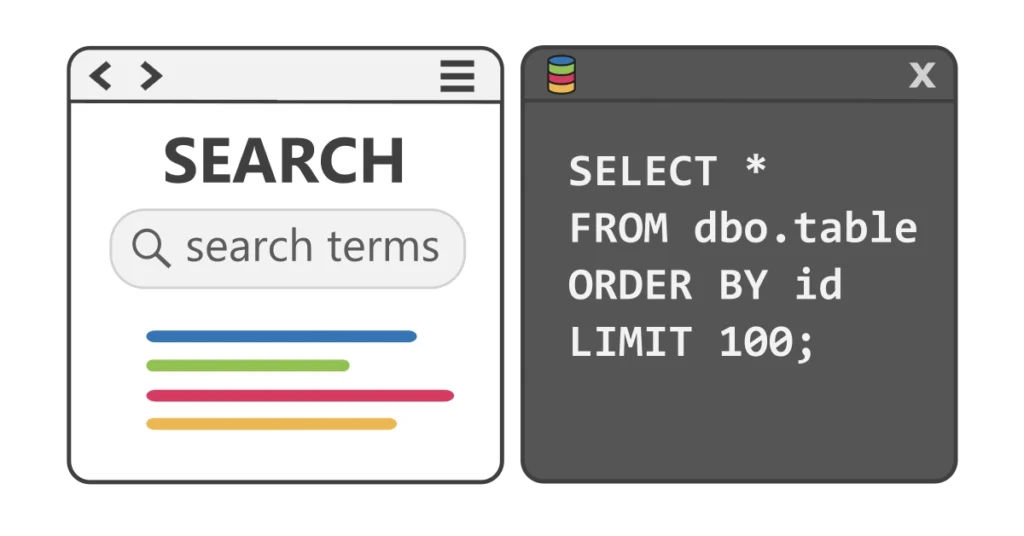
Don’t try to read documentation cover-to-cover. Instead, search for the specific keyword, function, or clause you’re working with. For example, if your query needs a JOIN, search “PostgreSQL JOIN” or “T-SQL JOIN” to go straight to examples and rules.
Pay Attention to Examples
SQL documentation usually includes sample queries. These examples are often the fastest way to understand syntax, since they show you how a statement looks in practice. Copy them, run them in your environment, and tweak them to fit your needs.
Note Version Differences
SQL features can vary by version. For instance, a function available in SQL Server 2022 might not exist in SQL Server 2016. Always check that you’re reading documentation for the same version you’re actually using.
Bookmark Key Sections
If you find yourself looking up the same thing repeatedly—like string functions, date functions, or error handling—bookmark those pages for quicker reference later.
Use Documentation Alongside Error Messages
When SQL throws an error, copy the exact message into a search bar along with the name of your database platform. Often the official documentation (or a trusted forum) will explain not only what the error means, but how to fix it.
Key Takeaway
SQL might look like one universal language, but in reality, it’s more like a family of related dialects. Each one has its own quirks and rules, and the sooner you expect those differences, the less intimidating they’ll feel.
Don’t get discouraged if something doesn’t work right away—adjusting to a new platform is simply part of the learning process. Every database you try adds another tool to your toolbox, and that’s what makes you a stronger, more adaptable SQL user.